
About Remove Photo Bg: free AI tools for everyday image editing
Remove Photo Bg is a free online image editor that uses AI to remove backgrounds, erase unwanted objects and upscale photos - right in your browser, with nothing to install.
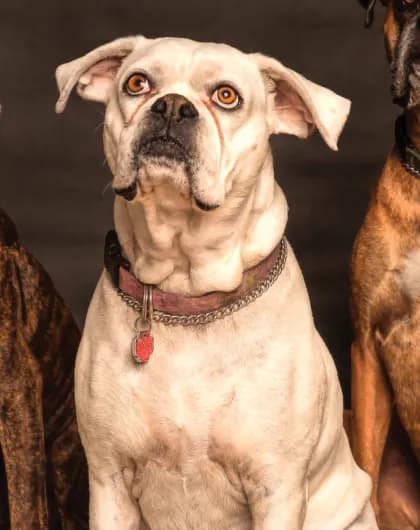
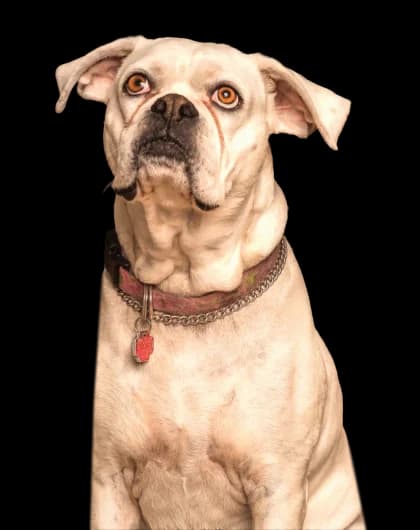
Why we built Remove Photo Bg
Editing a photo should not require expensive software or hours of practice. Cutting out a product, cleaning up a holiday snapshot or making a small picture big enough to print are tasks almost everyone runs into, so we built simple tools that handle them in a few clicks.
The tools are free to use and the basic features work without an account. Upload a JPG, PNG or WEBP image, let the AI do the detailed work and download the result.
What you can do with Remove Photo Bg
Three focused tools cover the edits people need most often. Each one opens in the browser and shows you the result before you download it.
Free background remover
Separate a person, product, pet, car or logo from its background and get a transparent PNG. Keep it transparent or add a solid colour, a gradient, a photo or a blur, and crop the result if you need to.
Remove a backgroundObject remover
Brush over people, text, date stamps, wires or clutter and the AI fills the area so it matches the surroundings. Repeat it to remove several things one after another.
Remove objects from a photoAI image upscaler
Enlarge small or low-resolution images up to four times and get sharper edges and detail - useful for prints, product listings and old photos.
Upscale an imageWorks in your browser
There is nothing to install. The AI runs on our servers and you use it from Chrome, Safari, Firefox or Edge on a computer, tablet or phone. Your device only uploads the image and shows the result, so even an older laptop or phone can handle large photos.
Who uses Remove Photo Bg
The same few edits come up in very different jobs. These are the people we had in mind when we built the tools.
Online sellers
Clean, consistent product photos with white or transparent backgrounds for marketplaces and online stores.
Small businesses
Images for menus, flyers, social posts and websites without hiring a designer for every small change.
Content creators
Cut-outs, thumbnails and stickers for YouTube, Instagram and TikTok, made in minutes.
Designers and marketers
A quick first cut-out or clean-up before the detailed work, and fast mock-ups for presentations.
Photographers
Remove distractions from a shot, prepare headshots or enlarge an image for a bigger print.
Students and teachers
Clean images for presentations, school projects and posters.
Social media users
Profile pictures, holiday photos without strangers in the background and fun edits to share.
Everyone else
Passport-style photos, scanned signatures, family pictures and anything else that needs a quick fix.
What we care about
Free to start
The tools are free to use, and you do not need an account for the basic features.
Simple by design
One clear task per tool, a few short steps and a preview before you download.
Your images stay yours
Images are processed on our servers only to create your result, deleted automatically after a short storage period and never used to train AI models.
Honest about limits
AI is fast but not perfect. Fine hair, glass or very busy scenes can need a touch-up, so you always see the result before you save it.
Learn more
New to image editing? Read a step-by-step explanation of each tool, browse practical guides for specific tasks or pick up tips on the blog.
Frequently Asked Questions
Find answers to common questions about our AI image tools.
Try it with your own photo
Upload an image and see the result in seconds - free and without signing up.
Remove a background