AI Image Upscaler - Upscale Images 4x Free
Upscale images up to 4x with a free AI image upscaler. Increase image resolution up to 4096 px and get sharper details without losing quality.
- Free to use
- No sign-up needed
- JPG, PNG, WEBP
- Results in seconds
How to Upscale an Image in 3 Steps
Increasing image resolution with AI only takes a moment.
- 1
Upload your image
Choose a JPG, PNG or WEBP image up to 16 MB.
- 2
Let AI upscale it
The AI enlarges your image up to 4x and restores sharp edges and fine details.
- 3
Download the HD result
Save the upscaled image as a PNG, up to 4096 px on the long side.
Upscale Images 4x Instantly
Upload a small or low-resolution image and the AI enlarges it up to four times in seconds. Get a larger, clearer version of your photo without resizing it by hand in an editor.
Try it now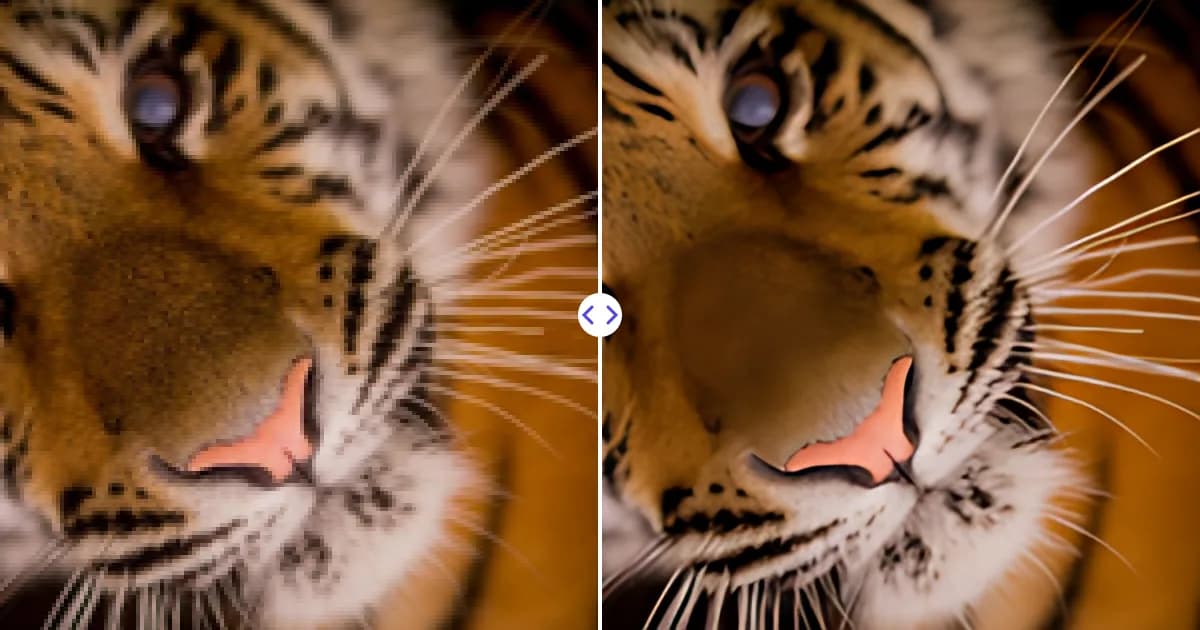
Sharper Details, Not Just Bigger Pixels
Traditional resizing makes images blurry. AI super-resolution based on Real-ESRGAN-type models predicts missing detail to restore crisp edges, clean textures and readable text.
Try it now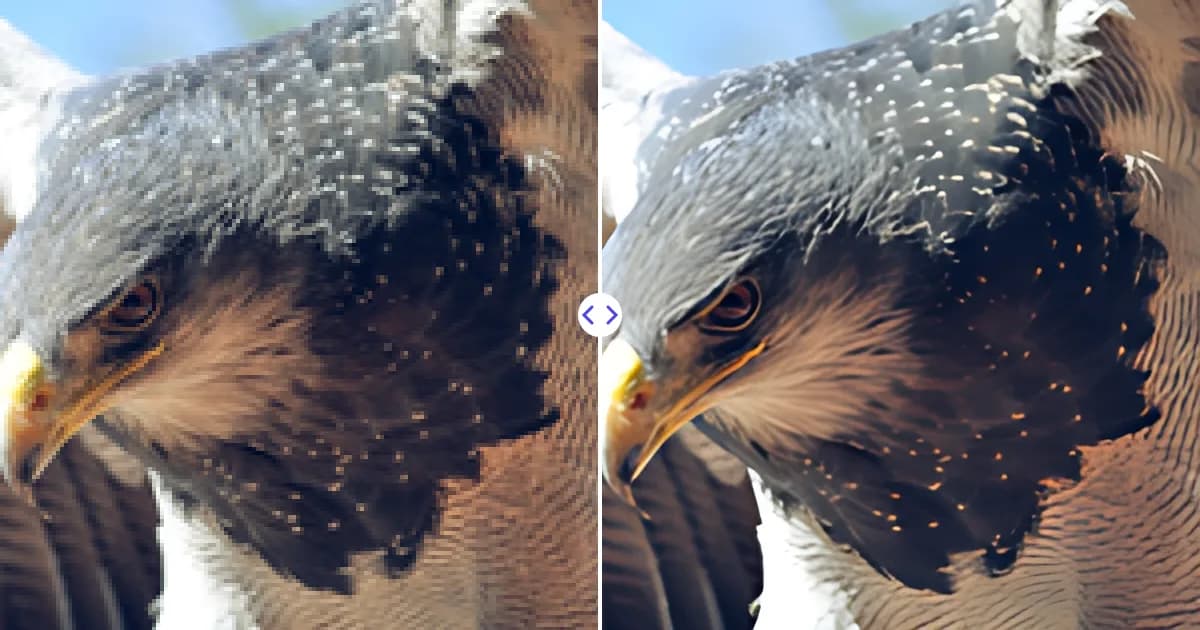
Why Use Remove Photo Bg to Upscale Images
Remove Photo Bg uses AI super-resolution to enlarge images while keeping them sharp and clean.
Free image upscaler
Enlarge your images for free, right in the browser.
No sign-up needed
Upload and upscale immediately without creating an account.
Up to 4x enlargement
Increase image size up to four times, up to 4096 px on the long side.
Sharper details
The AI reconstructs edges and textures instead of simply stretching pixels, reducing blur and noise.
Fast processing
Get your upscaled image in seconds and download it as a PNG.
Works on any device
Use the image upscaler on desktop, tablet or phone in any modern browser.
Popular Uses for the AI Image Upscaler
Higher resolution helps wherever image quality matters.
Enhance old photos
Enlarge old, small or scanned family photos and bring back clearer details.
Print-ready images
Increase image resolution for posters, flyers and photo prints that need more pixels.
Product images
Upscale small supplier photos so product pages look sharp on large screens and in zoom views.
Logos and graphics
Enlarge low-resolution logos and icons for websites, presentations and documents.
Social media and wallpapers
Turn small images into sharp HD visuals for posts, banners and desktop wallpapers.
AI art and digital images
Upscale AI-generated art and digital illustrations to higher resolutions for sharing or printing.
How people use Remove Photo Bg
Example feedback from common workflows. These are illustrative scenarios with stock photos, not verified customer reviews.
Before listing a flat I remove cables, bins and parked scooters from the photos. Large objects at the edge of the frame sometimes leave a smudge.

My only copy of a photo was tiny. After upscaling it printed noticeably sharper at A4 size - not magic, but a big improvement.

Most of my catalogue came out clean on the first try. Shiny bottles needed a small fix with the restore brush.

Upscaling a small scan of my grandmother's portrait made the faces clearer. It does not invent details that were never in the photo, which suits me.

Small shiny rings are tricky. Most cut-outs were usable straight away; for thin chains I go over the edges with the restore brush.

Our supplier's photos were only 500 px wide. After the 4x upscale, the zoom view in our shop stopped looking blurry.

I took a photo against my living room wall and swapped the background for a plain colour. Good enough for my CV and LinkedIn.

I upscale small images for blog headers. Photos come out much better; text inside images still looks a bit soft.

A bin stood right behind the kids in our holiday photo. Two strokes and it was gone - you only notice the spot if you know where to look.

Frequently Asked Questions
Find answers to common questions about our AI image tools.