Convert Image to HD Online - Reach 1080p and 4K with AI Upscaling
Convert an image to HD online: upscale low-res pictures to 720p, 1080p or 4K sizes with AI. See which source sizes you need. Free for JPG, PNG and WEBP.
4 min read
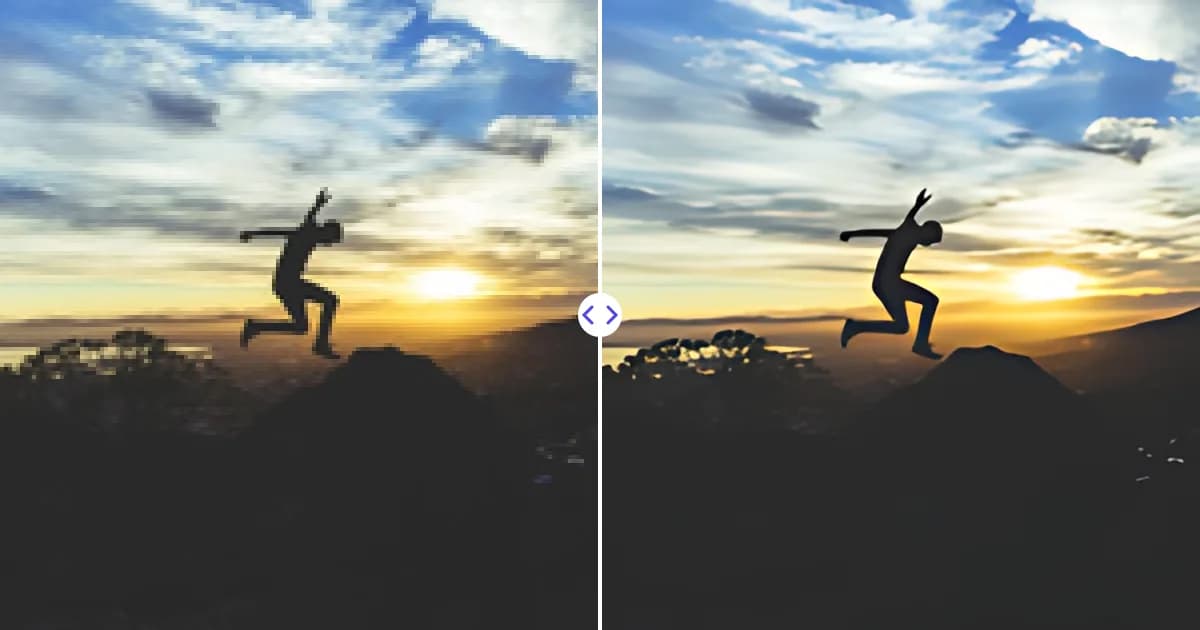
To convert an image to HD, upload it to the Remove Photo Bg image upscaler. The AI enlarges it 4x in width and height and sharpens it, so a 480 x 270 px picture becomes a 1920 x 1080 Full HD image and a 960 x 540 px picture reaches 4K UHD at 3840 x 2160.
The tool is free, works in any modern browser on desktop and mobile, and supports JPG, JPEG, PNG and WEBP files up to 16 MB.
What "HD" means for an image
HD is a set of standard screen resolutions that came from video and TV. An image is HD when it has at least that many pixels:
| Standard | Resolution | Source size for 4x upscale |
|---|---|---|
| HD (720p) | 1280 x 720 | 320 x 180 |
| Full HD (1080p) | 1920 x 1080 | 480 x 270 |
| QHD (1440p) | 2560 x 1440 | 640 x 360 |
| 4K UHD (2160p) | 3840 x 2160 | 960 x 540 |
If your source is larger than the size in the right column, the 4x result will exceed that standard, and you can scale it down to the exact size you need. The upscaler output is limited to 4096 px on the longest side, which still covers 4K UHD.
How to convert an image to HD
- Open the upscaler. Go to the image upscaler.
- Upload your picture. Pick a JPG, JPEG, PNG or WEBP file up to 16 MB.
- Let the AI upscale it. The image is enlarged 4x and sharpened on our servers.
- Download your HD image. If you need an exact size such as 1920 x 1080, crop or resize the result in any editor.
Real HD vs. stretched HD
Any editor can stretch an image to 1920 x 1080 pixels, but stretching just spreads the same information over more pixels. On a big screen, the result looks soft and pixelated even though the numbers say HD.
AI upscaling produces a more convincing HD image because the model predicts sharp edges, textures and clean lines for the new pixels. It is still honest to say that the AI reconstructs rather than recovers: details that were never captured, like small text far in the background, become a sharp-looking estimate, not the original truth. For clean source images, the difference from a native HD photo is often hard to spot at normal viewing distance.
It also helps to know that HD is a pixel count, not a file format. Converting a JPG to PNG, or saving it at maximum JPEG quality, does not make it HD. A file only becomes HD when its width and height reach the standard sizes in the table above, and a good-looking HD file is one whose extra pixels carry sharp, believable detail. That is the part the AI upscaler handles: it adds the pixels and makes them look like they belong. Format choice matters later, when you decide how to save and share the result; see PNG vs JPG vs WEBP.
Popular reasons to convert images to HD
- Wallpapers: turn a favorite photo or artwork into a desktop or TV background at 1080p or 4K.
- Video projects: use still images in Full HD or 4K video timelines without them looking soft.
- Presentations: projectors and large meeting-room displays reveal low-resolution images quickly.
- Thumbnails and banners: channel art and website headers often need HD dimensions.
- Old photos: pictures from early digital cameras and phones were often well below HD.
Tips for better HD results
- Match the aspect ratio. HD screens are 16:9. Crop a 4:3 or square image to 16:9 after upscaling, so you keep as many pixels as possible.
- Use an uncompressed original. Images saved from social media are recompressed; the original file gives cleaner HD output.
- Remove distractions first. For wallpapers especially, clear unwanted objects with the object remover before upscaling.
- Keep expectations realistic for tiny images. A 100 px icon will not become a detailed HD photo; start from the largest version you have.
Not sure whether you need HD or just more pixels for print? Compare with increase image resolution and upscale image 4x. Social media images have their own size rules, covered in how to prepare images for social media.
Convert your image to HD now
Upload an image and download a sharp HD-ready version, free and in your browser.