Transparent PNG Maker - Convert JPG and WEBP to Transparent PNG
Turn a JPG or WEBP photo into a transparent PNG online. The AI cuts out the subject and saves it as a PNG with an alpha channel, ready for any design tool.
4 min read
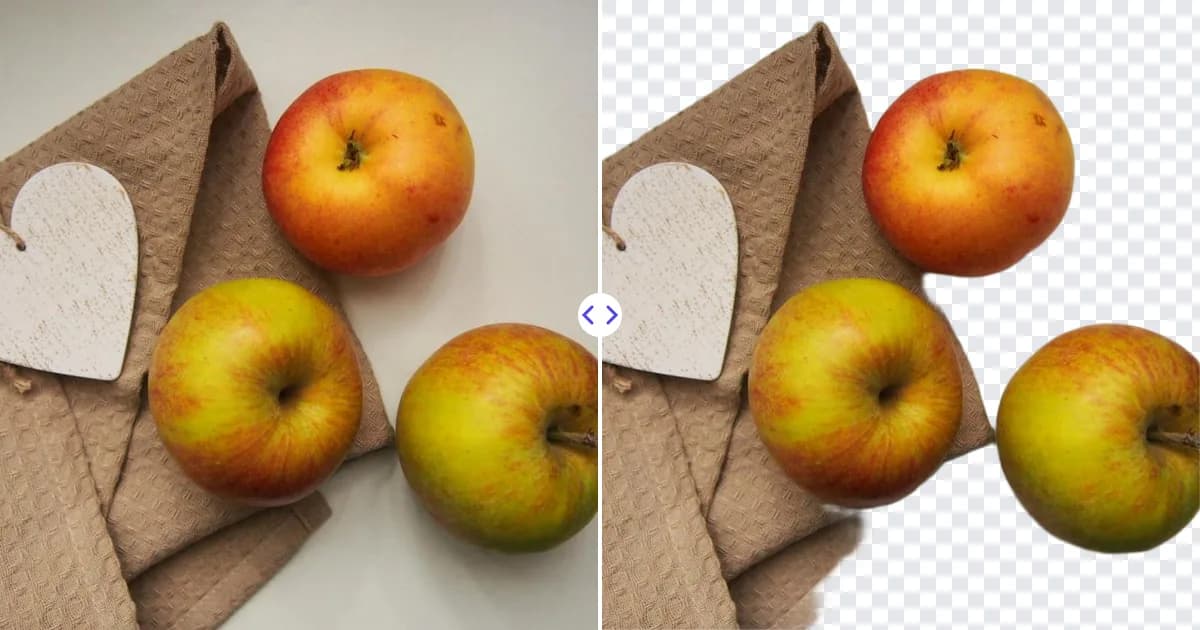
A transparent PNG maker takes an ordinary photo and turns it into a PNG file where the background is empty. Upload a JPG, PNG or WEBP image to the Remove Photo Bg background remover, the AI cuts out the subject, and you download a PNG with an alpha channel. A plain format change from JPG to PNG cannot do this on its own, because the background pixels would still be there; the cutout is what creates the transparency.
Why PNG is the format for cutouts
PNG has been the standard for transparent images for decades, and nearly every app supports it. Three properties make it the right choice for a cutout:
- Alpha channel. Each pixel can be fully visible, fully invisible or anything in between, so soft edges like hair stay smooth.
- Lossless compression. PNG does not throw away detail when saving, so edges do not pick up the blocky artifacts JPG can produce.
- Universal support. Browsers, Photoshop, GIMP, Canva, PowerPoint, Word and print services all read transparent PNGs.
New to the format? What is a transparent PNG explains it from the ground up.
How to make a transparent PNG from any photo
- Upload the source image. Open the transparent PNG maker and add a JPG, JPEG, PNG or WEBP file up to 16 MB.
- Let the AI cut it out. The subject is detected automatically and the background is removed.
- Review the preview. Zoom into edges and small gaps, such as the space between an arm and the body, to confirm they are clear.
- Download your PNG. The file is saved as a PNG with transparency, ready to use.
Choosing the right source file
The PNG you get out can only be as good as the image you put in. Before uploading, consider:
- Resolution. Start from the largest copy you have. A 600 px photo makes a 600 px PNG, which may look soft when used large. The image upscaler can enlarge a small original 4× before you cut it out.
- Compression artifacts. Heavily compressed JPGs (for example, images saved from messaging apps) have blotchy edges. Use the original camera file when possible.
- Existing PNGs. If your PNG already has a white or colored background baked in, it is not transparent yet. Run it through the tool like any other photo; for flat white backgrounds see remove white background.
Managing transparent PNG file sizes
Because PNG is lossless, a large photographic cutout can be several megabytes. That is fine for design work and print, but worth managing for websites:
- Resize to the size you will display. A 4000 px wide PNG used in a 800 px column wastes bandwidth.
- Use a PNG optimizer. Optimization tools reduce file size by recompressing the PNG without changing what you see.
- Consider WEBP for the web. WEBP also supports transparency and is usually smaller. Keep the PNG as your master copy and export WEBP from it when needed.
Our guide on compressing images without losing quality covers these options in detail.
Popular uses for transparent PNGs
- Stickers and print-on-demand. Mugs, t-shirts and stickers need a design with no background. Our sticker maker from photo page covers that workflow.
- Icons and illustrations. Product icons, emoji-style avatars and UI images sit cleanly on any interface color.
- Document assets. Logos, stamps and signatures layered onto PDFs and letters.
- Design libraries. A folder of transparent PNG cutouts lets you assemble new graphics quickly without re-editing photos.
Tips for keeping transparency intact
- Do not re-save the file as JPG; that fills the empty area with white or black.
- Some image viewers show transparency as black. That is a display choice, not a problem with the file; open it in a browser or design tool to check.
- When sending by chat apps, attach it as a file or document rather than a photo, since some apps convert photos to JPG.
- Name files descriptively (for example, red-sneaker-side-transparent.png) so they are easy to find in your library.
Why make PNGs with AI
Making a transparent PNG by hand means masking the subject in an editor and exporting with the right settings. The AI handles the masking automatically and delivers the correct format in one step. It is free, runs in any modern browser on desktop and mobile, and processes your images on our own servers.
Create your first one now: upload an image and download a transparent PNG.