Remove Background from Image Free with AI
Remove the background from any image in seconds with our free AI background remover. Get a clean transparent PNG of people, products, logos and pets - no design skills needed.
Or drop an image here
JPG, PNG or WEBP · up to 16 MB
By uploading an image you agree to our Terms of Service. For more details on processing and your rights, check our Privacy Policy.
- Free to use
- No sign-up needed
- JPG, PNG, WEBP
- Results in seconds
Stunning quality
How to Remove a Background from an Image in 3 Steps
Making a transparent background takes just a few seconds and works right in your browser.
- 1
Upload your image
Choose a JPG, PNG or WEBP file up to 16 MB, or drag and drop it onto the upload area.
- 2
Let AI remove the background
Our AI detects the main subject and cuts it out automatically, keeping fine edges like hair and fur.
- 3
Download your transparent PNG
Save the result as a high-quality PNG with a transparent background, ready to use anywhere.
Remove Image Backgrounds Automatically
Upload a photo and the AI separates the subject from the background in one click. No manual selection, lasso tools or masking is needed, and the result is ready to download as a transparent PNG.
Try it now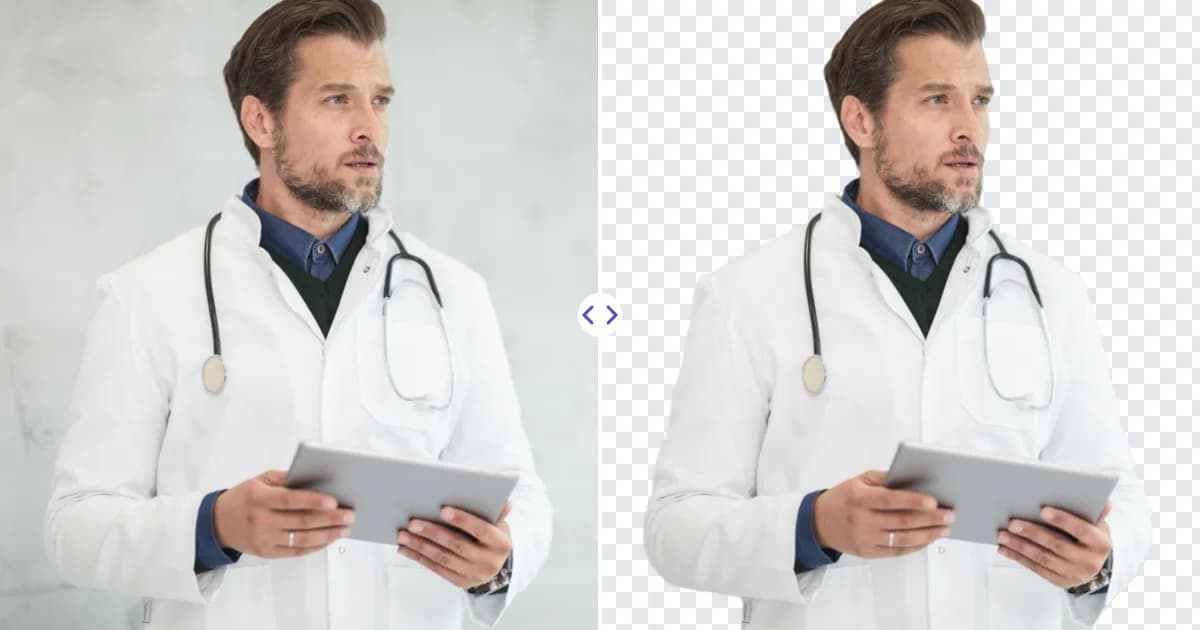
Clean, High-Quality Cutouts Every Time
The model handles complex edges like hair, fur and semi-transparent areas, so your cutouts look natural on any new background, whether it is white, colored or a completely new scene.
Try it now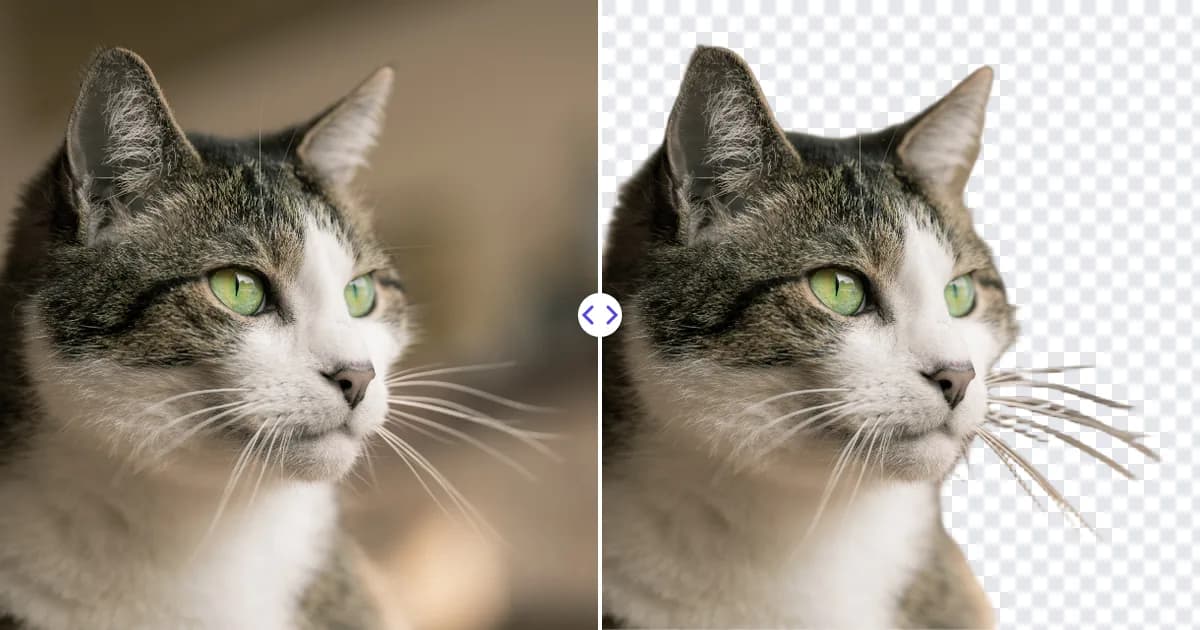
Why Use Remove Photo Bg to Remove Backgrounds
Remove Photo Bg combines accurate AI cutouts with a simple workflow, so you get professional results without Photoshop.
Free to use
Remove backgrounds from your images for free and download the result as a PNG.
No sign-up needed
Start editing right away. You do not need to create an account to remove a background.
Fast results
Most images are processed in a few seconds, so you can work through product photos quickly.
Precise edges
The AI keeps fine details such as hair, fur and soft edges for natural-looking cutouts.
Transparent PNG output
Every result is a PNG with a transparent background that you can place on any color, photo or design.
Works on any device
Use the background remover on desktop, tablet or phone in any modern browser, with nothing to install.
Popular Uses for the Background Remover
From online stores to personal photos, a transparent background makes images easier to reuse.
Product photos for e-commerce
Create clean white or transparent backgrounds for Amazon, Shopify, eBay and Etsy listings.
Profile pictures and portraits
Cut yourself out of a photo and place it on a new background for LinkedIn, your CV or social profiles.
Passport and ID photos
Remove a busy background and replace it with a plain one before printing passport or ID photos.
Logos and signatures
Make a logo or scanned signature background transparent so it sits cleanly on documents and websites.
Pets and cars
Isolate pets, cars and other objects for posters, listings, stickers and creative edits.
Social media and marketing
Design thumbnails, ads, stories and banners by combining cutouts with your own backgrounds.
How people use Remove Photo Bg
Example feedback from common workflows. These are illustrative scenarios with stock photos, not verified customer reviews.
Cut-outs for story graphics used to take ages in a desktop app. Now it is one upload and a transparent PNG.

Before listing a flat I remove cables, bins and parked scooters from the photos. Large objects at the edge of the frame sometimes leave a smudge.

A bin stood right behind the kids in our holiday photo. Two strokes and it was gone - you only notice the spot if you know where to look.

I cut out team photos for a client's pitch deck. Busy office backgrounds came out fine; one shot through a glass door needed a second try.

Most of my catalogue came out clean on the first try. Shiny bottles needed a small fix with the restore brush.

Our supplier's photos were only 500 px wide. After the 4x upscale, the zoom view in our shop stopped looking blurry.

I brushed over two tourists walking through my shot, and the wall behind them was rebuilt better than I expected.

It removed the date stamp and most scratches from scanned prints. Badly damaged corners still need manual work.

Upscaling a small scan of my grandmother's portrait made the faces clearer. It does not invent details that were never in the photo, which suits me.

Frequently Asked Questions
Find answers to common questions about our AI image tools.