Profile Picture Background Remover - Clean Avatars for Any Platform
Remove distracting backgrounds from your profile picture with AI. Download a transparent PNG and set it on a clean color for social, work and gaming profiles.
4 min read
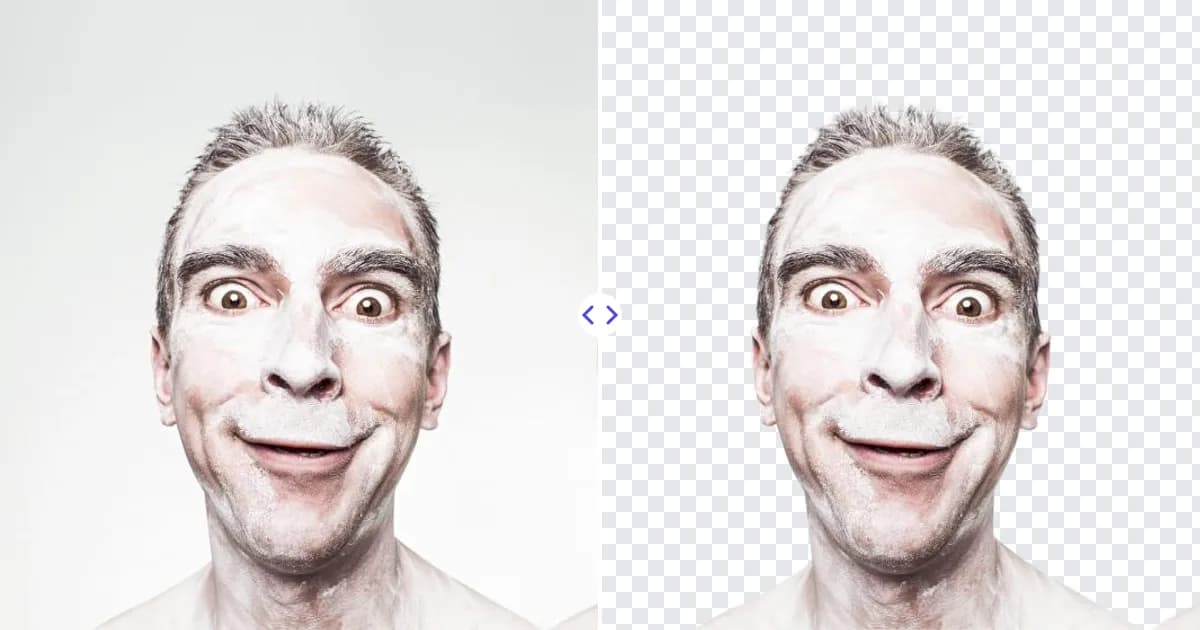
A profile picture background remover helps you turn a casual selfie into a clean, eye-catching avatar. Upload your photo to Remove Photo Bg, the AI separates you from the background automatically, and you get a transparent PNG you can place on a solid color, gradient or brand backdrop before uploading it anywhere.
Profile pictures are shown tiny, often as a small circle next to a name. A busy background competes with your face at that size, while a plain one keeps attention where it belongs.
Why a clean background makes a better profile picture
- Your face stands out - at thumbnail size, every pixel of background clutter steals attention.
- A consistent personal brand - use the same cutout on a matching color across LinkedIn, X, Instagram, Slack, Discord and email.
- More professional impression - a neutral backdrop looks intentional, even when the original photo was taken in a kitchen.
- Easy refreshes - swap the background color for a season, event or campaign without retaking the photo.
How to make a new profile picture in 4 steps
- Pick a photo. Choose a well-lit picture where your face and shoulders are clearly visible.
- Upload it. Open the background remover and upload a JPG, PNG or WEBP file up to 16 MB from your phone or computer.
- Download the cutout. The AI removes the background automatically and you download a transparent PNG.
- Add a backdrop and crop. Place the PNG on a solid color or gradient in Canva, Photoshop or your phone's editor, crop it square with your face centered, and upload it to your profile.
Remove Photo Bg does not add backgrounds itself, so the final styling happens in the editor of your choice. See how to add a new background to a photo for ideas.
Tips for a profile picture that works everywhere
Frame for a circle
Many platforms crop avatars into a circle. Leave space above your head and keep your face near the center so nothing important gets cut off.
Choose a background color with contrast
If you have dark hair, a light or mid-tone backdrop separates you clearly. Brand colors work well for business accounts, while soft neutrals suit professional networks.
Start with good light
Face a window or soft light source. Even light on your face matters more than the original background, because the background is going away anyway.
Fix small or blurry source photos
If your best photo is small or slightly soft, enlarge it with the image quality improver before cropping, so your avatar stays crisp on high-resolution screens.
Check hair edges
Loose or curly hair is the trickiest part of any cutout. A plain wall behind you in the original photo gives the cleanest result.
Keep it current and recognizable
A profile picture works best when people can recognize you from it in a meeting or at an event. Use a recent photo, look toward the camera with a natural expression, and avoid heavy filters or sunglasses. Because you keep the transparent cutout, refreshing the background later takes seconds, but updating the photo itself every few years keeps it honest.
Profile picture ideas and use cases
- Professional networks - a neutral or light backdrop for LinkedIn, job boards and company directories.
- Work chat and video calls - clean avatars for Slack, Teams, Zoom and Google accounts.
- Social media - bold color or gradient backgrounds for Instagram, TikTok, X and Facebook.
- Gaming and community - playful backgrounds or patterns for Discord, Twitch and forums.
- Team pages - give every team member the same background color for a unified about page.
Need something more formal? Our headshot background remover page covers business portraits, and the guide on preparing images for social media explains platform sizes.
Why use Remove Photo Bg for your avatar
Retaking photos in front of a perfect backdrop is rarely practical. With AI background removal you can use the selfie you already like, add the background you want, and be done in a few minutes. The tool works in any modern browser, is free to use, and processes images on our own servers rather than sending them to third-party AI services.
Ready for a fresh look? Remove the background from your profile picture and give your next avatar a clean, confident finish.