Background Remover for Etsy - Make Handmade Products Stand Out
Make handmade and vintage items pop in Etsy search. Remove cluttered backgrounds with AI, then style each product on a backdrop that fits your shop's look.
4 min read
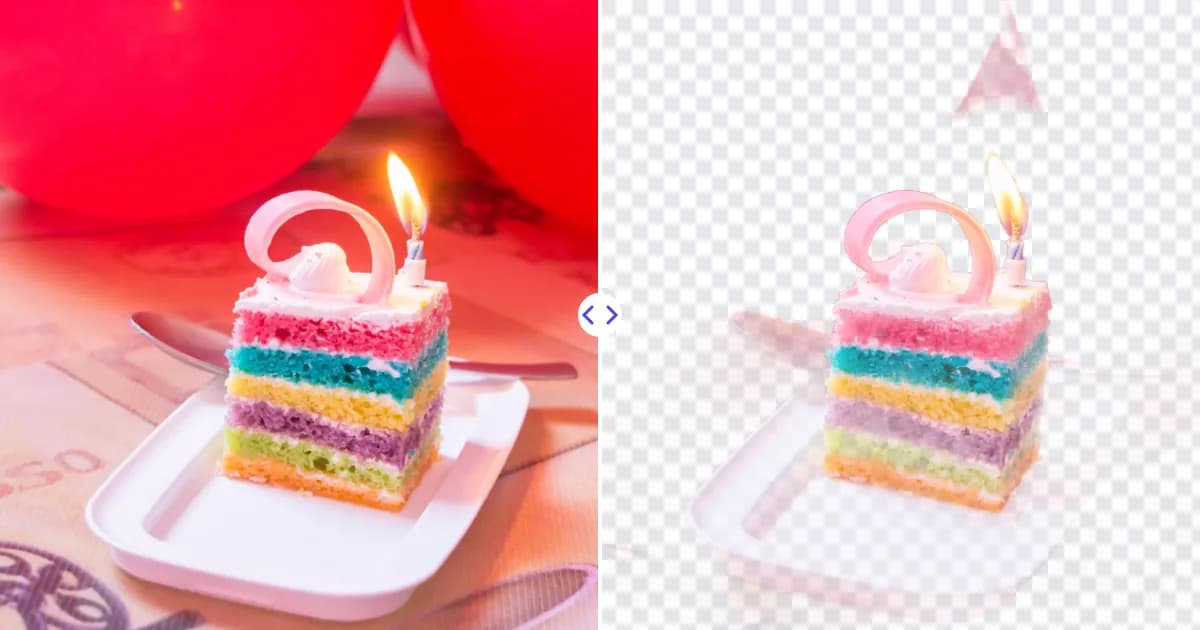
A background remover for Etsy lets you show off a handmade or vintage item without the clutter of your workbench, kitchen table or living room floor. Upload your listing photo to Remove Photo Bg, the AI cuts the product out automatically, and you download a transparent PNG ready to style on any backdrop that suits your shop.
Etsy shoppers browse by thumbnail, so the first photo of a listing does a lot of work. A clean, focused image helps your product stand out in a crowded search grid.
How background removal helps Etsy sellers
Most Etsy sellers photograph products at home, often in whatever light and space is available. Removing the background turns those everyday photos into flexible assets:
- Cleaner thumbnails - the product reads clearly even at small sizes in search results.
- A cohesive shop look - every item can sit on the same soft color, texture or neutral tone.
- Easy styled scenes - place the cutout on a wood, linen or marble background image to create a styled look without reshooting.
- Graphics for promotion - use the same cutout in shop banners, social posts and Pinterest pins.
How to create an Etsy listing photo in 4 steps
- Upload your photo. Open the background remover and upload a JPG, PNG or WEBP image up to 16 MB.
- Let the AI isolate your product. The background is removed automatically. Zoom in on delicate details such as chains, tassels, knit edges or dried flowers.
- Download the transparent PNG. Save it as the master file for that listing.
- Style and upload. Place the cutout on your shop's backdrop in Canva, Photoshop or GIMP, crop to the shape your thumbnail uses, and upload it to your listing.
Remove Photo Bg removes backgrounds but does not add new ones, so styling happens in your editor. Our guide on adding a new background to a photo explains how to make the result look natural, including adding a soft shadow.
What to know about Etsy photo guidelines
Etsy does not generally require a white background the way some marketplaces do, and many successful shops use warm, styled backdrops. Etsy does publish recommendations on image size, aspect ratio and how thumbnails are cropped in its Seller Handbook and help center. Those recommendations can change, so check the current guidance before you prepare a batch of photos.
A practical approach many sellers follow:
- Use a clean, uncluttered first photo so the product is obvious in search.
- Keep the product centered so automatic thumbnail cropping does not cut it off.
- Add styled or in-use photos in later image slots to show scale and context.
- Keep the same backdrop style across listings so your shop page looks unified.
Tips for great cutouts of handmade items
Contrast is your friend
Photograph light items on a darker surface and dark items on a lighter one. Clear contrast helps the AI find edges, especially on textured materials like yarn, felt or ceramics.
Use soft natural light
A window with indirect daylight gives even light without hard shadows. Avoid mixing warm lamps and daylight, which creates color casts that are hard to fix later.
Keep true colors
Buyers care about accurate color for handmade goods. After styling, compare the final image to the real product and adjust if the new backdrop makes colors look off.
Enlarge older or small photos
If you are relisting older items with small photos, the image quality improver can enlarge them and restore sharper detail before you build the listing image.
Popular Etsy categories that benefit
- Jewelry and accessories, where small details need a distraction-free view.
- Home decor, candles and ceramics placed into styled room scenes.
- Clothing and textiles shown on a consistent neutral backdrop.
- Prints, stickers and stationery mocked up on clean surfaces.
- Vintage finds photographed in varied locations and unified later.
Selling the same products on more than one platform? Compare with our tips for the Shopify background remover, and browse our image editing tips for online sellers.
Why Etsy sellers choose Remove Photo Bg
Handmade businesses are often run by one person, so time spent editing photos is time not spent making. AI background removal handles the fiddly part in one step, works in your phone or desktop browser, and runs on our own servers, so your designs are not sent to third-party AI services.
Ready to refresh your shop? Remove the background from a listing photo and give your products the clean, focused look buyers notice.