Pet Photo Background Remover - Cut Out Dogs, Cats and More
Remove the background from photos of your dog, cat or any pet with AI. Get a transparent PNG for gifts, stickers, portraits, memorials and social posts.
4 min read
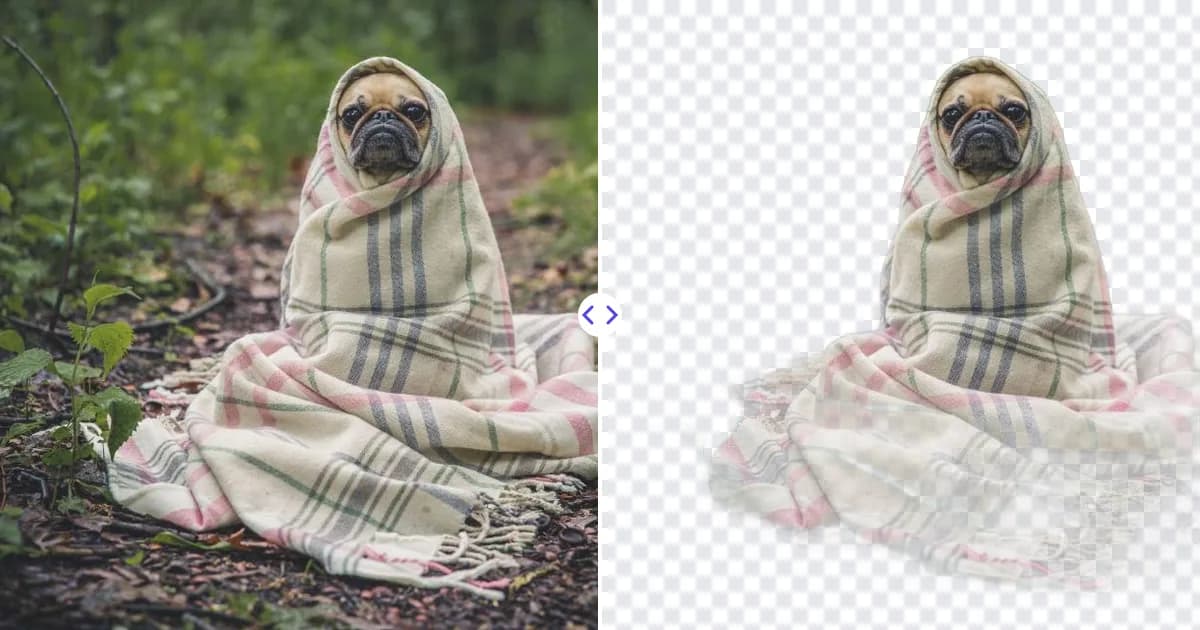
A pet photo background remover lets you lift your dog, cat or rabbit out of a messy living room and onto anything you like. Upload the photo to Remove Photo Bg, the AI finds your pet automatically, and you download a transparent PNG ready for gifts, portraits, stickers or social posts.
Pets rarely pose in front of a nice backdrop. The best expression usually happens on the couch, in the yard or next to a pile of laundry, and removing the background lets you keep that moment without the clutter.
What the tool does with pet photos
Remove Photo Bg is trained to separate the main subject from its surroundings, and that includes animals. It works on dogs, cats, rabbits, birds, horses, reptiles and other pets, and it aims to preserve the outline of ears, whiskers, tails and fur.
- Automatic detection - no tracing around paws and fur by hand.
- Transparent PNG output - drop your pet onto any color, pattern or scene.
- Works on phone photos - upload directly from your mobile browser.
- Private processing - images are processed on our own servers, not sent to third-party AI services.
How to remove the background from a pet photo
- Choose a clear photo. Pick a sharp shot where your pet is fully in frame and not hidden behind furniture or another animal.
- Upload it. Open the background remover and upload a JPG, PNG or WEBP file up to 16 MB.
- Let the AI cut out your pet. The background disappears automatically. Zoom in to check the fur edges and whiskers.
- Download and create. Save the transparent PNG and use it in Canva, PowerPoint, a print service or your favorite photo app.
Tips for better pet cutouts
Fur needs contrast
Fluffy edges are the hardest part of any cutout. A black cat on a dark sofa blends in, while the same cat on a light rug has a clear outline. If you can, photograph your pet against a background that differs from its coat color.
Sharp focus beats high resolution
A slightly smaller photo in sharp focus gives a better cutout than a large blurry one. Use burst mode or a fast shutter on your phone to freeze movement.
Shoot at eye level
Getting down to your pet's level gives a more natural portrait and usually places a plainer background, like a wall or floor, behind them.
Clean up distractions first
If a leash, toy or person's hand overlaps your pet, the AI may treat it as part of the subject. Remove it with the object remover first, then cut out the background.
For more about tricky edges, read how to cut out hair in photos, since the same principles apply to fur.
Creative ways to use your pet cutout
- Custom gifts - mugs, T-shirts, phone cases, pillows and calendars with your pet on a clean background.
- Stickers - turn your dog or cat into a die-cut sticker. Our sticker maker from photo page shows how.
- Pet portraits - place your pet on a solid color or painted backdrop for a studio look.
- Memorial keepsakes - create a tribute image or framed print of a pet that has passed.
- Social media - profile pictures for your pet's account, birthday posts and adoption announcements.
- Small businesses - groomers, pet sitters, shelters and breeders can create clean promotional images.
Choosing a background for your pet
Once your pet is on a transparent layer, the backdrop sets the mood. Soft pastels and warm neutrals suit portraits and memorial prints, bold colors work for stickers and social posts, and a backdrop that picks up the color of your pet's eyes or collar ties the image together. Adding a subtle shadow under paws in your editor helps the pet look grounded rather than floating.
Making prints from older or small photos
Favorite pet photos are often old phone pictures or images saved from messages, which can be small. After removing the background, run the cutout through the image upscaler to enlarge it 4× and restore sharper detail before printing a canvas or poster.
Why pet owners use Remove Photo Bg
Cutting out fur by hand in a desktop editor is slow and fiddly, even for experienced designers. An AI background remover gives you a clean starting point in one step, works in any modern browser and is free to use. That makes it easy to try several photos and keep the one where your pet's personality shines through.
Got a favorite shot of your furry friend? Remove the background from your pet photo now and turn it into something you will keep.